Use Captn when
You need an editable subtitle project
Choose Captn when you need to edit subtitle text, adjust timing, fix line breaks, style captions, preview everything in context and export reusable subtitle files or a captioned MP4.
 Captn
Captn
ONLINE SUBTITLE EDITOR
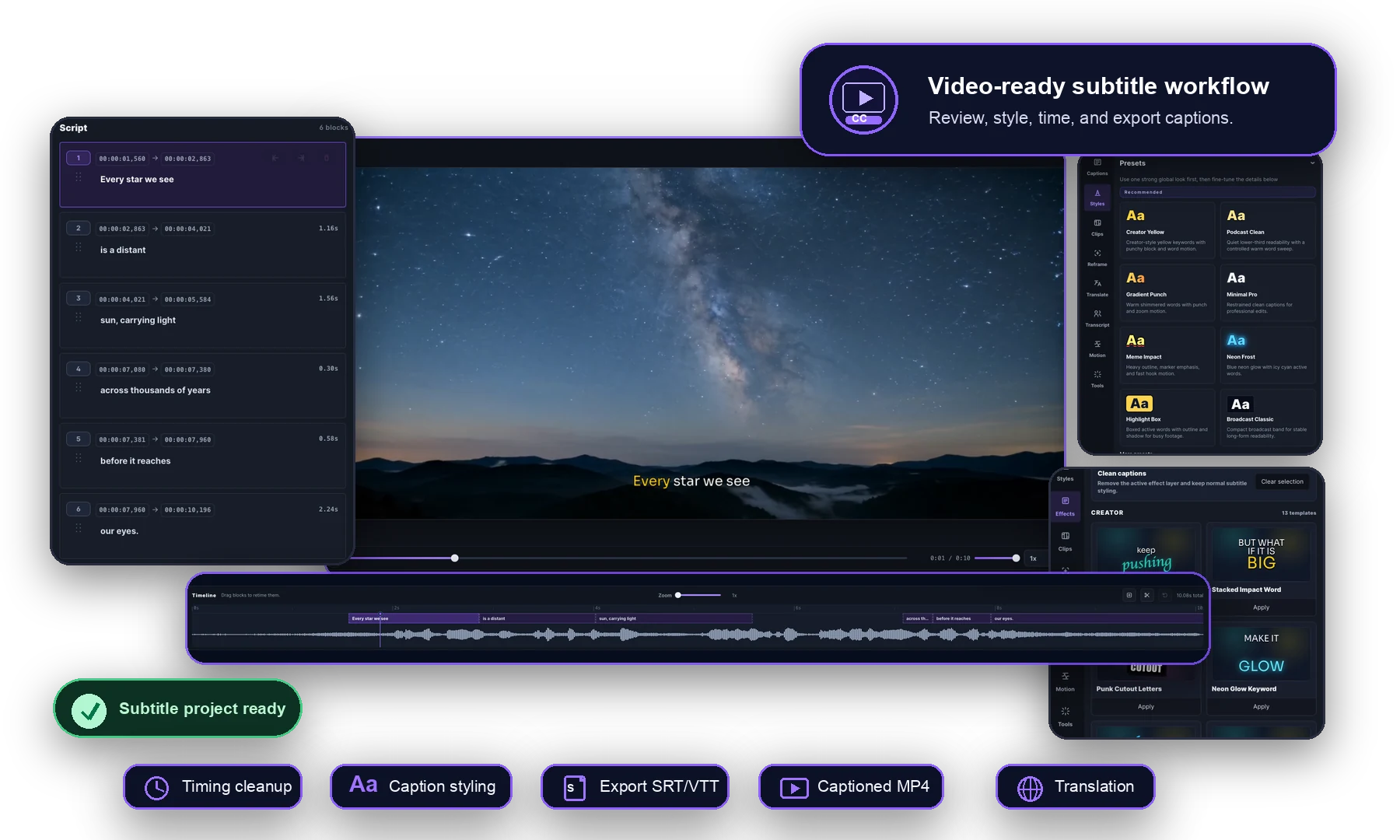
Use Captn when generated captions or imported SRT/VTT files need a real editing pass. Fix text, timing, line breaks, caption style and exports while watching the video.
Quick guide
Automatic captions are a starting point. Use this page when subtitles already exist, but the words, timing, line breaks or export format still need review before publishing.
Use Captn when
Choose Captn when you need to edit subtitle text, adjust timing, fix line breaks, style captions, preview everything in context and export reusable subtitle files or a captioned MP4.
A simpler path works when
A simpler converter may be enough when the subtitles are already correct, timing is not important, and you only need a basic file format change.
Workflow details
A good online subtitle editor keeps caption text, timing, preview and export choices together so mistakes are fixed before the subtitle file or final video leaves the editor.
| Workflow need | Captn | Basic subtitle tools |
|---|---|---|
| Text editing | Edit transcript text and subtitle blocks directly in the browser. | Basic tools may only open plain text or a file conversion step. |
| Timing cleanup | Adjust block timing, split or merge captions, and check changes against video playback. | Timing may need to be corrected in another editor or left as-is. |
| Visual styling | Choose fonts, colors, placement, background boxes, outlines and word highlights. | Styling is often limited or disconnected from the final video export. |
| Preview | Preview captions before export so placement, wrapping, and timing can be reviewed. | A plain file workflow may not show how captions will look on video. |
| Exports | Export SRT, VTT, captioned MP4, green-screen subtitles, or clips from one project. | Output may be limited to a subtitle file or one rendered video format. |
Subtitle-first workflow
Subtitles are easier to fix when the editor shows the caption text, video preview, timing and export choices together.
Fix words, punctuation, line breaks, repeated mistakes, and subtitle block boundaries.
Review each caption against playback and adjust blocks before the final export.
Style captions for readability, branding and platform-ready video exports.
Best fit
The subtitles need transcript edits, timing fixes, styling, preview checks, or multiple export formats.
The captions are already accurate and synced, and the only remaining task is a basic file conversion.
Export options
After editing, the same subtitle project can become a reusable caption file, a captioned video, or a styled export that stays consistent through the final step.
Download subtitle files for YouTube, courses, web players, archives, or later edits.
Render styled subtitles into the video when captions must stay visible everywhere.
Keep timing, styling, and preview checks together until the captions are ready.
FAQ
Quick answers for creators looking for an online subtitle editor.
Yes. Captn lets you edit subtitle text, timing, blocks, styling, and exports in the browser.
Yes. You can import SRT or VTT, edit the captions against the video, and export a cleaned version.
Yes. After editing, you can export SRT, VTT, captioned MP4, or other workflow outputs from the same project.
Yes. Captn supports subtitle fonts, colors, placement, background boxes, outlines, and word highlights.
Yes. You can render the edited subtitles directly into a captioned MP4.

Start a project